Quick Tutorial: YouTube Video Making Tips I’ve Learned

Previous Quick Tutorial Posts:

This is another post from my Quick Tutorial series for YouTubers and those who are looking to create video content.

It’s worth reiterating: I am not an expert (by any stretch of the imagination) when it comes to video production, I don’t own or use any fancy equipment and tech, I have no background in video production or photography, and actually, I think that’s kind of the point. The point here is to show you that yeah, you can do it, and you can do a halfway decent job at creating video content as a total amateur.

Instead of trying to collect all the latest gadgets that the YouTubers with million+ subscribers are telling you to get, work with what you’ve got. I hope that’s what this Quick Tutorial series is about: maxing out the capabilities of what you’ve got.

This post in particular will consolidate some tips and tricks I’ve learned about YouTube video making at the amateur level.

Record Your Videos During the Magic Hour

In photography, there’s this thing called the golden hour, or the magic hour. Fortunately, there are two each day. The first is the hour after sunrise, and the second is the hour before sunset.

I’m lucky because that conforms to my work schedule. The first golden hour is just before I leave for work, so actually, my makeup is freshly done. Most days I make it home before the second golden hour, just before sunset, so as soon as I’m back from the office, I go straight to recording the video.

If you don’t have lighting equipment, then I would urge you to try your best at scheduling video recording time during one of the golden hours. Afternoon sunlight can be too harsh, and after sunset, it’s often too dark. Cameras tend not to like artificial lighting, so then your videos get that grainy quality.

When you record during the golden hour, you can get away with a lesser-quality camera. I’m using a 1.3 megapixel webcam for both the video footage and the audio. For comparison, most professional YouTubers opt for a 50.6 megapixel resolution camera. These days, your smartphone camera is around 12 megapixels.

So yeah, given the drastic difference, the pixel quality of my current portfolio of YouTube videos is still shitty compared to what most people are shooting at these days, but it isn’t so offensive in quality as it could be (given the 1.3 megapixel resolution) because I’m shooting during the magic hour. Shooting at the magic hour compensates for that drastic resolution difference.

For me, I’ve also found that recording during the morning magic hour by an east-facing window is the best, and recording during the evening magic hour by a west-facing window is best.

Guys, if you can, follow the magic hour in photography. It truly is magical. You get that soft diffused light on your face and that perfect balance of light and shadow in the frame. You know those expensive ring lights that makeup and beauty gurus get? Yeah, the whole point of those things is to recreate the lighting of the Magic Hour. You get two for free each day, so if you don’t want to invest in a ring light, then try to schedule your recording time to the Magic Hours.

Continue reading “Quick Tutorial: YouTube Video Making Tips I’ve Learned”
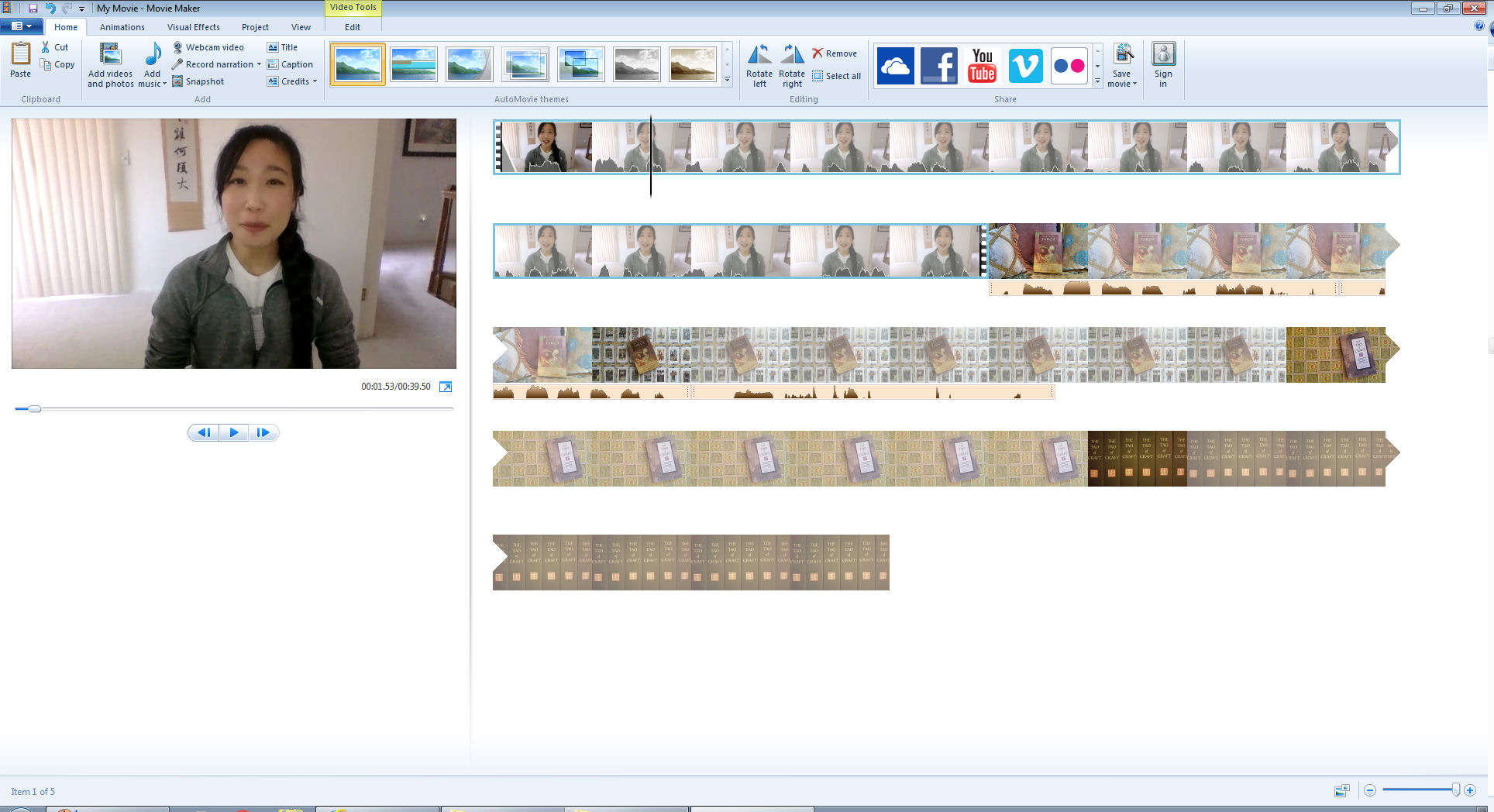
Quick Tutorial: MovieMaker for YouTubers

Previously I shared a Quick Tutorial on using PowerPoint to create animated video footage with voiceover narration earlier, here. This Quick Tutorial is on Windows MovieMaker.

Basically, this Quick Tutorial series for newbie YouTubers like me demonstrates how to make video content on a shoestring budget, or no budget at all. The premise is to be as low-tech as possible, using what you probably have on hand already. It’s all about being smarter with what you have.

Before reading further, can we both acknowledge that I am not an expert, not sufficiently experienced or skilled to the level where I should be giving anybody advice, and have literally only been doing this for about a year. On the other hand, to make a case for myself, I think this makes the Quick Tutorial series all the more endearing. It’s me saying to you, hey look, I don’t know what the heck I’m doing but I still manage to get stuff up and running, so you can, too.

Note: MovieMaker was discontinued effective 2017 and replaced with something called Windows Story Remix. Since my computer and my set video-making ways pre-date 2017, I’m going to proceed with MovieMaker. Assuming at some point in the future I upgrade to Windows Story Remix, I’ll make a Quick Tutorial for that then.

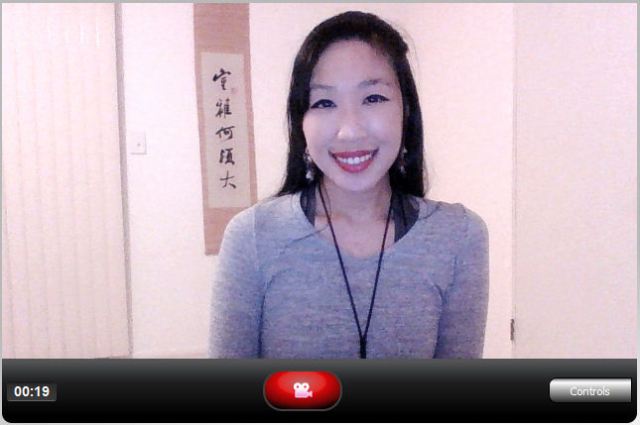
The first thing I do is set up my laptop on a stack of books to get the angle and positioning just right. (I’ll get into how to angle and position your camera lens in the subsequent post.) The laptop came with a video camera recording program, so that’s what I use. I click the red record button, and then just go.

I like to use jump cuts (also explained in subsequent post) so that it’s easier for the final video product to look like I stay on point the whole time and don’t wander off on irrelevant tangents or have you all sit there watching me think, on camera, about what next thing I want to say.

Continue reading “Quick Tutorial: MovieMaker for YouTubers”

Tarot Summer School 2018

Click to reserve your Season Pass! $199. Installments available.

This is my third year participating as a master class instructor at Tarot Summer School and the line-up is spectacular. You’re not going to want to miss this intense semester, so get the Season Pass!

You get lifetime access to any course you purchase. If there are 7 courses you’re interested in and you buy each separately, that’s almost the cost of the Season Pass. For $199, you’ll get all 13, and get access to the courses for life. So it’s not like you have to do all 13 courses this summer. Buy it this summer and save it for later. Revisit the courses as frequently as you like. It’s a pretty incredible deal when you think about it. Click on the banner above to book your Season Pass, or check out the courses separately below.

I’ve hyperlinked the titles to their respective course description page at the Tarot Readers Academy. There are also hyperlinks for each instructor’s own website or professional landing page. That way if there are any names you’re not familiar with, you can learn more about their work.

Continue reading “Tarot Summer School 2018”

Pamela Colman Smith: The Untold Story

Pamela Colman Smith: The Untold Story is the most comprehensive, devotional, and poignant tribute to Pamela “Pixie” Colman Smith we’ll see this century. It’s a magnificent treatise and homage no tarot lover will want to miss. Co-authored by Stuart Kaplan, Mary K. Greer, Elizabeth Foley O’Connor, and Melinda Boyd Parsons, The Untold Story is the sum total of knowledge, research, data, and documents we have on the artist behind the Rider-Waite-Smith tarot deck and her works.

Perhaps its greatest accomplishment is how it has brought Pamela Colman Smith to life. You’ll get to know her life and works, her family, her art, her interests, her personal spirituality, her quirks, and her multifaceted personality. Her words, through letters and the articles and stories she penned, reveal an animated, unconventional, extraordinary woman.

The first quarter of the book, “Pamela’s Life,” is authored by Elizabeth Foley O’Connor, an academic researcher who is writing the literary biography of Pamela Colman Smith.

Corinne Pamela Colman Smith, who went by the nickname “Pixie,” defied so many social norms, it’s hard to keep count. The more you read about her, the more impressed you get.

Continue reading “Pamela Colman Smith: The Untold Story”

Quick Tutorial: PowerPoint for YouTubers

Let’s not kid ourselves here: I am no expert at YouTubing and you’re probably better off learning video editing from someone else. But what I hope this Quick Tutorial series will demonstrate is how you can make halfway not-crappy videos with a lot of multi-media stuff going on and do it without spending a lot of money on tech.

I spent zero extra dollars on tech to make my YouTube videos. I use a webcam (which, come on, everybody has; my old-ass retired parents have one) for both the video and microphone functions, try to schedule my recording times to the sunlight (in other words, I don’t have special lighting equipment), and software programs that already come with my computer or can be downloaded for free off the Internet. And I do all of this from a $300 laptop I’ve had since 2014.

This tutorial post is specifically for YouTubers who’d like to add a more multi-media dimension to their videos by including animated PowerPoint slides with voiceover narration. Using PowerPoint is a budget-friendly way to vamp up your videos. Here’s how you do it.

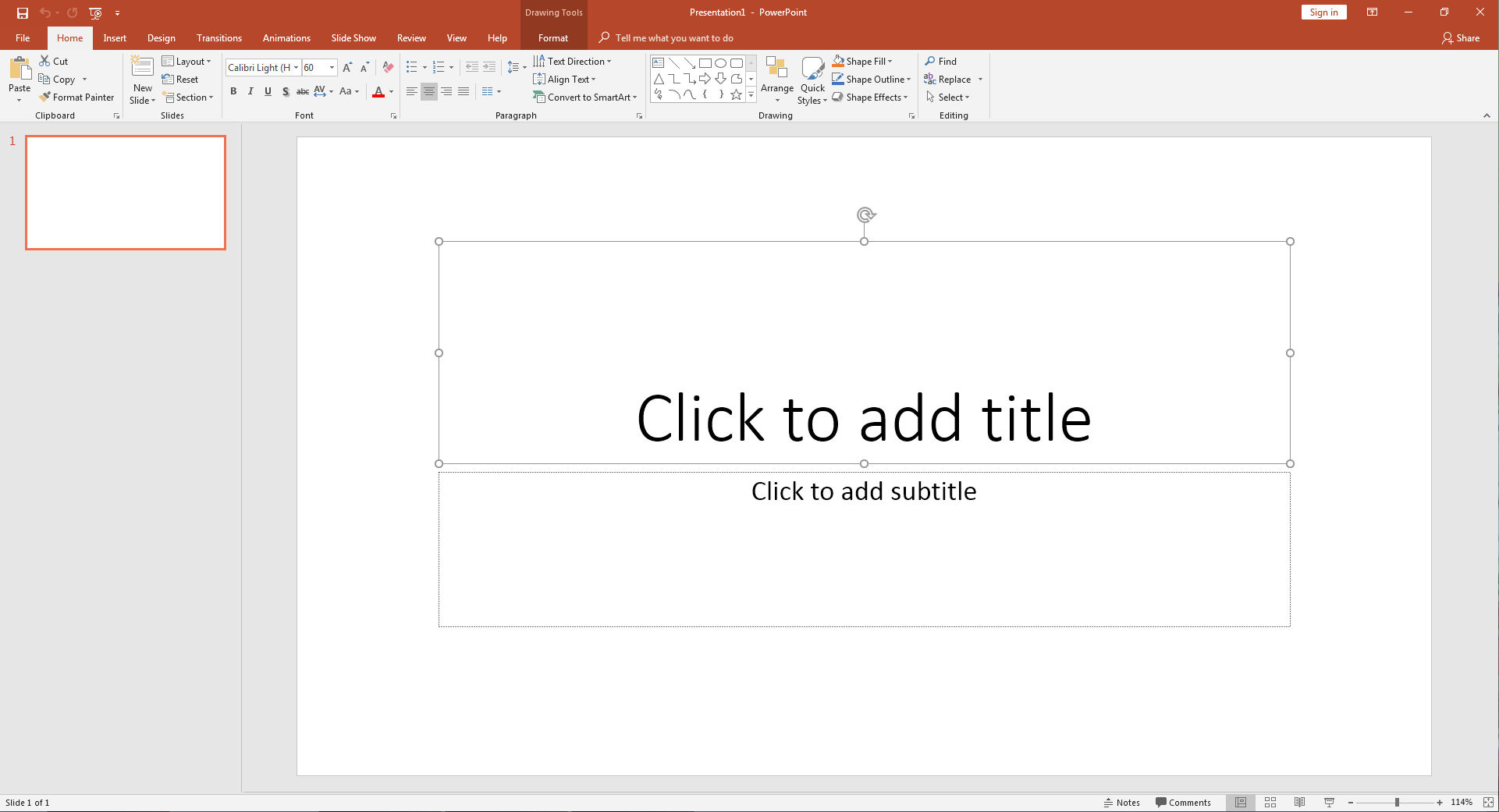
First, open PowerPoint on your computer. It came free with my computer. So it’s not even like I needed to buy any fancy tech to make YouTube videos. The default first slide will look something like the below. I select the text boxes and delete them so I can begin with a blank slate.

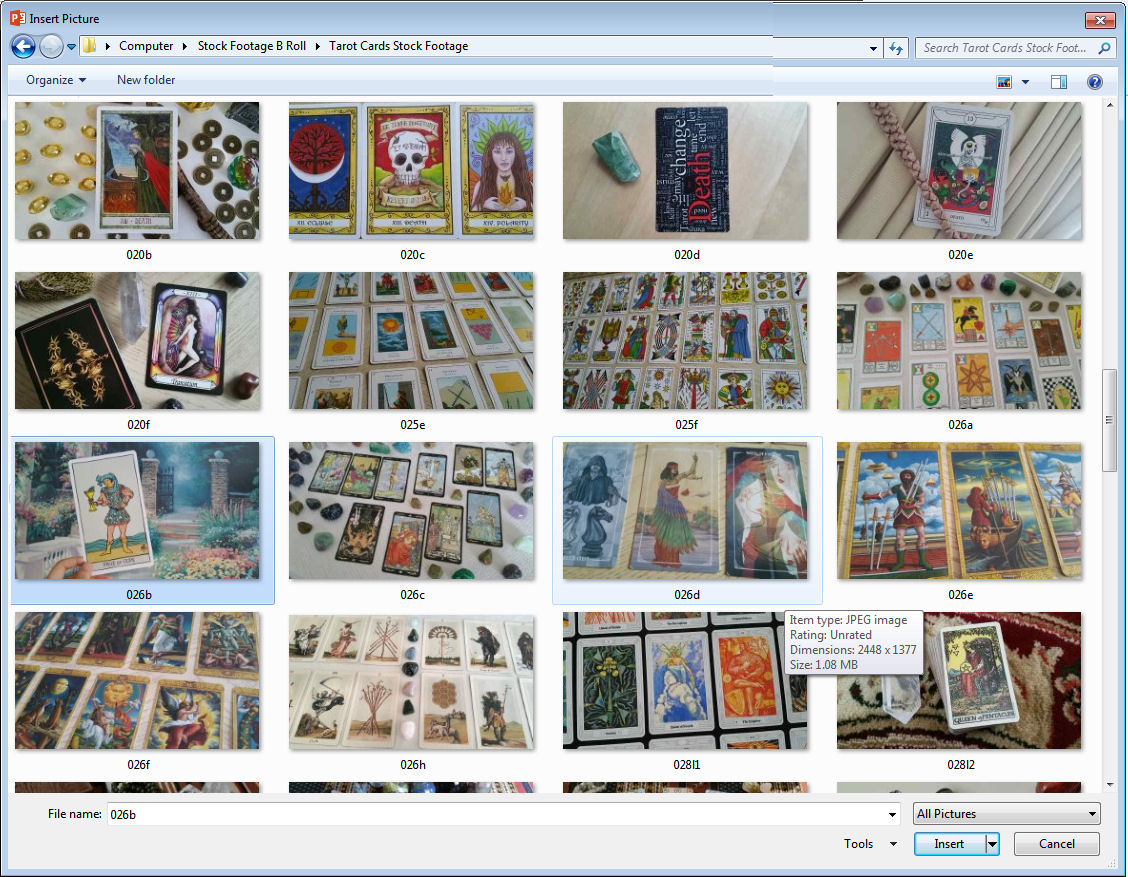
To insert a photograph that will become the background image, start by going to the “Insert” tab at the top. Click on it, and then click the icon for “Pictures.” You can click on the screen shots in this post for enlarged viewing.

As an example, I’m inserting this photo I took of me holding the Page of Cups up to a painting. If your photograph is exactly the size of the Presentation slide, it’ll auto-fit. Otherwise, you may need to adjust manually.

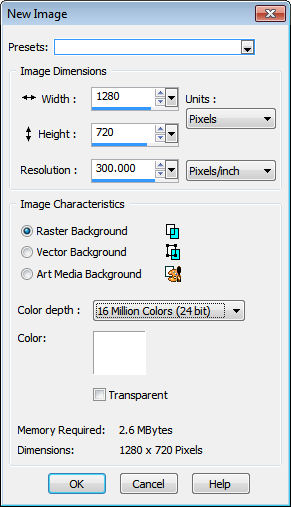
These days, the default proportion is 16:9 so if you want a photograph to be the background image in the video, it should be at the proportion 16:9. (Most camera phones have an option where you can select this proportion to make sure the photos you’re taking are at that width x height ratio.) For YouTube videos, you want images to be a minimum of 1280 pixels by 720 pixels.

Now click on the tab “Animation” then the tab option “Animation Pane” to show the Animation Pane. You’ll see it appear in the screen shot below.

Now let’s say you want text to appear on the screen. You’re now in the “Insert” tab (see top row across your browser, the red row), then click the icon “Text Box.”

Continue reading “Quick Tutorial: PowerPoint for YouTubers”

Tarot, Occultism, and Modern Witchcraft at Tarot Summer School 2018

COURSE DESCRIPTION

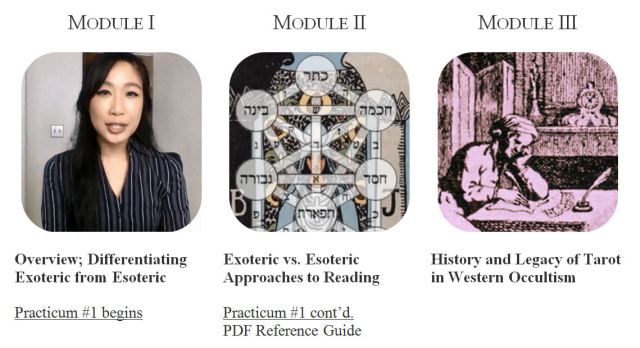
This course is structured after a graduate-level seminar with a series of lectures plus guided tarot readings ritualized and crafted to show rather than tell you about tarot in witchcraft. We’ll mimic an oral tradition where you listen to me talk about the who, the what, and the why, alongside my perspectives on the how. You may want to take notes throughout the course, for both the lecture and training modules, so that beyond this course, you’ll have a consolidated reference file on occult tarot.

The lecture portion covers a comparative analysis of exoteric, psychology-based tarot reading and esoteric, psychic-based tarot reading, and also tarot as a witch’s tool. We’ll cover the history and legacy of tarot in Western occultism, focusing in on applying Hermetic principles to the tarot, and consider the role of tarot and witchcraft in the modern era.

The practicum portion will be a series of guided tarot readings and training videos to demonstrate the basics and preliminary exploration of using tarot to commune with your Holy Guardian Angel, spell-craft for financial gains, extracting cards for talismans, petitioning forth spirit entities to conduct a divinatory reading, using tarot to commune with land spirits or assess the characteristic properties of a land, and tarot in pathworking, with proprietary training models shared on how to enhance your clairvoyance and clairaudience during a tarot reading.

Continue reading “Tarot, Occultism, and Modern Witchcraft at Tarot Summer School 2018”

The Lost Tarot (Majors Only) by Hans Bauer

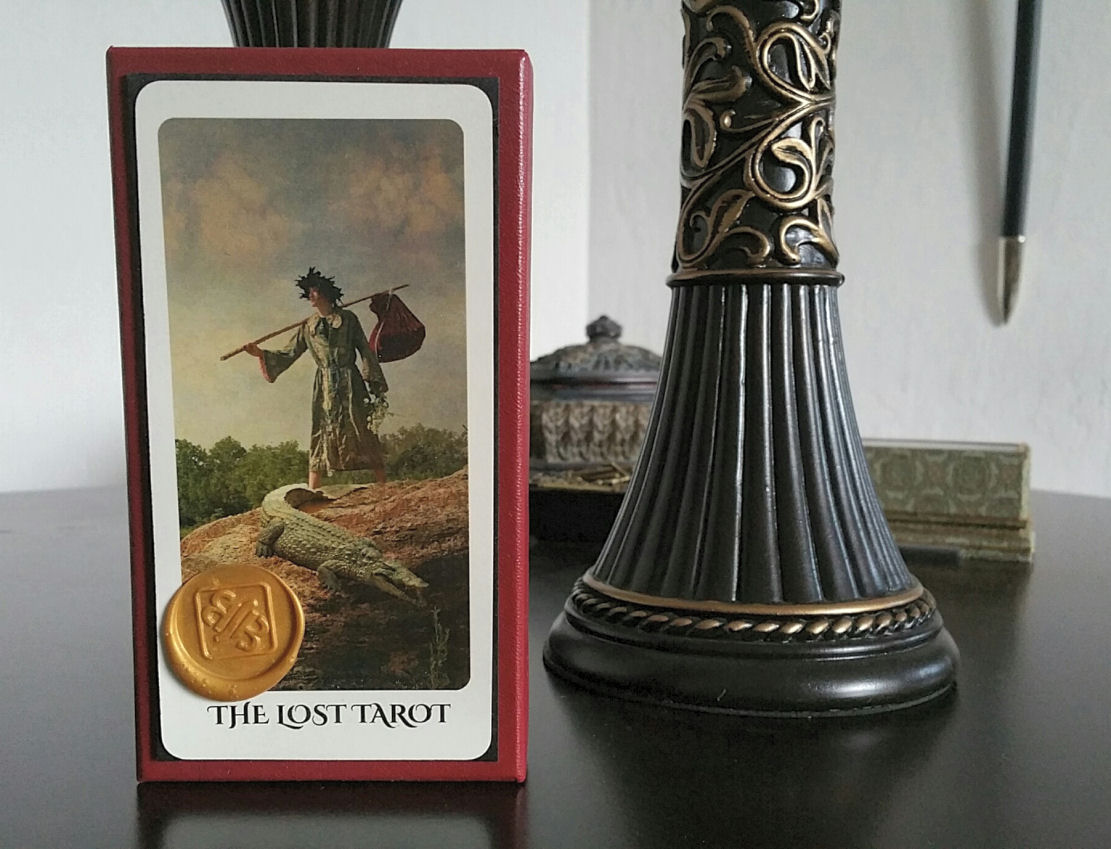
The Lost Tarot is a self-published Majors only tarot deck brought to us from the brilliant mind of Hans Bauer. The deck art is premised on a fictionalized back story of an English merchant, William Bradford, who purchased from Leonardo da Vinci an optical device (i.e., the very first camera, prior to the invention of the camera as we know it today) that da Vinci had invented, essentially a camera obscura device. The back story of the deck continues: Bradford took a series of photographs with the device and, in 1994, a stack of Bradford’s medieval photographs were found in Nottingham, England. Restoration efforts commenced and now we’ve got an incredible tarot deck for the 21st century based on those medieval photographs taken with Leonarda da Vinci’s optical device.

Weaving the back story for The Lost Tarot. Click on image for link to image source. Deck descriptions and marketing copy put forth the narrative: the “Circa 1517” image seen above is purportedly the original photograph as taken by Bradford with the camera device he purchased from Leonardo da Vinci. To the right, “2017 Recreation,” is the digitally corrected version used for the modern tarot deck. I love it.

The premise is charming, innovative, well thought out, with brilliant world-building as you’d expect from a renowned screenwriter like Hans Bauer of Anaconda (1997) fame (which starred Jennifer Lopez, Ice Cube, Jon Voight, and Owen Wilson, among others) and Titan A.E. (2000).

To execute that premise, Bauer took photographs at various Renaissance faires in Texas and also staged some at his studio, mimicking a photography style as best as he could conceive of it that might have been taken by a prototype camera from 1517, centuries before the actual invention of the camera in 1839. Thus, the photographic art is expressed with a distressed and antique tone. The purpose, the painstaking attention to every detail in the execution of this Majors only tarot deck, and then finally, the cards themselves as a working tarot deck excite me.

Continue reading “The Lost Tarot (Majors Only) by Hans Bauer”

Relationship Compatibility by Your Tarot Court Significator

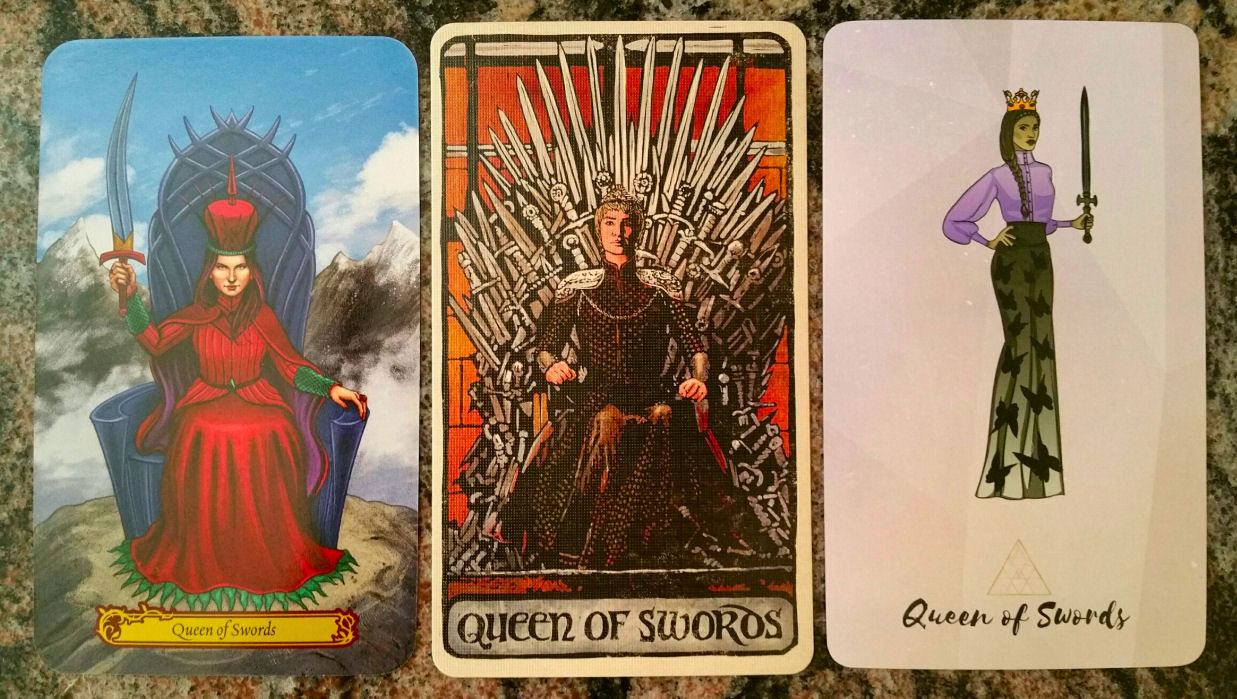
Queen of Swords from the Tarot in Wonderland (Barbara Moore); Game of Thrones Tarot (Liz Dean and Craig Coss); Bad Bitches Tarot (Ethony Dawn)

Even though I don’t personally buy in to generalizations about astrological sign compatibility, they sure are fun to read (and write). Instead of zodiac signs, I’m going even broader and exploring elemental compatibility between the tarot courts. Zodiac signs aren’t the only way to determine tarot court correspondences, but it’s the one I’m going to go with for the purposes of this blog post.

Since there are differing elemental correspondences for tarot out there, here’s the one I’m working with:

Those who are Fire signs are part of the Wands court, Water signs are Cups, Air signs are Swords, and Earth signs are the court of Pentacles. Psst… I’m the Queen of Swords by both sun sign and rising.

To determine your elemental court, you can use your sun sign (what is commonly referred to as your horoscope sign), but for some relationships, you may want to go with moon sign. Checking compatibility points for moon signs, rising, and Venus signs in addition to sun signs can bring a more well-rounded insight to a very specific romantic pairing. Closeness of friendships can also be determined through an account of the moon signs in addition to the sun.

The relationship compatibility I want to explore here is not limited to love. These considerations can be applied to friendships, acquaintances, or professional partners, or heck, even which public figures seem to resonate with you and which for some inexplicable reason just don’t.

Continue reading “Relationship Compatibility by Your Tarot Court Significator”

Readers Studio 2018: First-Timer’s Insights

Readers Studio 2018 was both my first time as an attendee and first time as a presenter. The tarot community is truly one-of-a-kind. Having now experienced the astrology community, pagans, Taoists, and Buddhists as social collectives, the favorite is hands down my tarot peeps. You won’t find a warmer, more enthusiastic, more diverse, more welcoming, more integrated and united, or more supportive tribe.

The Readers Studio is a weekend extravaganza of three master classes, breakfast roundtables, general sessions, tarot incubators, study groups, showcases, and many delicious event offerings. They also feed you, so there’s a cocktail party, luncheon, formal dinner banquet, and breakfast buffet. Ongoing throughout is the merchant faire where you can buy amazing goodies from small artisanal proprietors or get a tarot reading from one of the Studio’s selected celebrity psychic readers.

This post is going to be a review of my first Tarot Readers Studio experience. I’m sure I’ll be attending in 2019– and next year as an attendee and eager student only– no onstage pressures (yay) so I’ll be able to focus entirely on mingling, learning, and of course, sharing an unconscionable number of live tweets and Instagram posts.
Continue reading “Readers Studio 2018: First-Timer’s Insights”